Why a Laptop Wrecks a Tall Student's Neck Faster Than a Phone Does
Quick Answer: A laptop screen sits at keyboard height, which forces your head down further the taller you are — and unlike a phone, you hold that position for hours at a stretch. The fix is to separate the screen from the keyboard: raise the laptop to eye level and add a cheap external keyboard. That single change costs under $30 and removes most of the load.
You stretch your neck, you do the exercises, and by week six of the semester it hurts again. Nothing is wrong with the stretching. The problem is the eight hours in between.

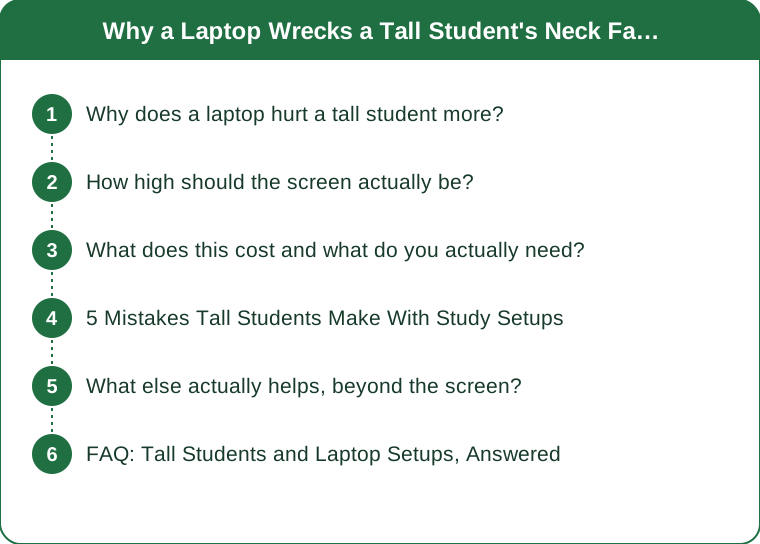
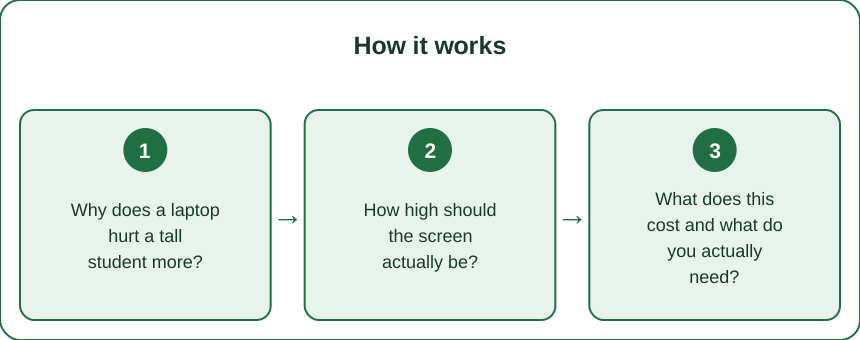
Why does a laptop hurt a tall student more?
Because the screen height is fixed by the keyboard, and your eyes are further above it.
A laptop is a single hinged unit, which means the screen can never be higher than a few inches above the surface it sits on. A desk is roughly 29 inches high regardless of who is using it, so the screen sits at roughly 34 inches. Your eyes, if you are 5’10 and seated, are somewhere around 46 to 48 inches.
That gap is the whole problem, and it grows with height. Someone 5’3 looks down at a modest angle. Someone 6’0 looks down considerably further, which means more head-forward posture and more sustained load on the muscles at the back of the neck.
The load itself is geometric. Your head weighs roughly 10 to 12 pounds, and as it tilts forward, the muscles and structures at the back of the neck have to resist an increasing moment. The further forward the head travels, the higher the demand — which is why small changes in screen height produce disproportionate changes in how your neck feels.
Then there is duration, which is where the phone comparison falls apart. Phone use is intermittent — a minute here, five minutes there, with constant position changes. Laptop use is a single sustained position for 40 minutes to three hours, and sustained low-level load is harder on tissue than brief high load.
A rough sense of the exposure: a full-time student is realistically at a laptop for three to six hours a day between lectures, reading, and assignments. That is the position your neck is adapting to.
How high should the screen actually be?
The top of the screen level with your eyes, and further away than most people set it.
The standard guidance is that the top edge of the display should sit at or slightly below eye level, with the screen roughly an arm’s length away, tilted back very slightly. Your gaze then travels slightly downward to the middle of the screen, which is the neutral resting angle for the eyes and requires no neck flexion at all.
For a tall person, that means a lot of lift. From a 29-inch desk, you often need 6 to 10 inches of riser height to get a 13-inch laptop screen top to eye level. That is a stack of textbooks, a proper laptop stand, or a monitor arm.
And the moment you raise the screen, the keyboard becomes unusable — which is the exact reason people do not do it. This is why the fix is always two items rather than one: raise the screen, add a separate keyboard at desk height.
Wrists want the opposite of what eyes want. Forearms roughly parallel to the floor, wrists neutral, elbows around 90 degrees. For a tall person at a standard desk, the desk is usually slightly too low relative to your seated elbow height, which pushes you to raise the chair — and that in turn raises your eyes further above the screen. The two problems reinforce each other, which is why a tall student’s setup tends to be worse than average rather than the same.
Sequence to get it right:
- Set the chair so your feet are flat and your thighs are roughly level.
- Check elbow height against the desk. If the desk is too low, that is what a keyboard tray or a taller desk solves.
- Then raise the screen to eye level, independent of the keyboard.
- Move the screen back until text is comfortable at arm’s length.
What does this cost and what do you actually need?
Under $40 for the core fix, and you can do the first version for nothing.
The free version, tonight: stack the laptop on textbooks until the screen top hits eye level, and use a separate keyboard if you have one. If you do not, this still helps for reading and lectures, which is a large share of your laptop hours even if you type at desk height.
The cheap proper version:
- A folding laptop stand — light, packs flat, works in the library as well as the dorm. The folding kind is the right choice for a student specifically because your study locations change.
- A basic wired or wireless keyboard. This is the item people skip and it is the one that makes the stand usable.
- A mouse, because a trackpad at raised height is awkward.
The upgrade worth considering if you have the desk space: a second monitor, used as the primary screen, with the laptop off to the side as a secondary. A monitor on an adjustable stand or arm can go far higher than any laptop riser, and for a tall person that headroom is the entire point.
What is not worth buying: wedge cushions, posture braces, and most gadgets marketed as posture correctors. They address the symptom of a badly positioned screen rather than the screen, and the evidence for them is thin compared to simply moving the display.
The dorm-specific constraints, honestly: desk depth is often too shallow for a monitor at arm’s length, the chair is usually non-adjustable, and there is rarely space for a second surface. In that situation the laptop stand plus keyboard is the whole solution, and it fits in a drawer.

5 Mistakes Tall Students Make With Study Setups
1. Raising the chair to fix the desk. It solves the wrist problem and makes the neck problem worse, because your eyes go up and the screen does not. If the desk is too low, raise the desk or lower the keyboard — not yourself. Furniture risers under the desk legs cost very little and fix this properly.
2. Working on the bed. This is the worst position available — the screen ends up in your lap, which is the maximum possible neck flexion, and there is no way to support your back. It is also where a great deal of actual studying happens. If you are going to do it, at least prop the laptop on a lap desk or a pillow to bring it up, and cap it at 20 minutes.
3. Treating the library as a fixed environment. Library chairs and tables are sized for the median, and you are not the median. Bring the folding stand. It takes ten seconds to set up and it converts a bad station into an acceptable one.
4. Blaming the phone. Phone posture is real and it is short-duration and self-limiting — you look up when your arms get tired. A laptop gives you no such signal, which is why the laptop hours are the ones doing the accumulating.
5. Fixing posture instead of position. You cannot hold a good position against a bad setup for three hours — attention runs out long before the muscles do. Change the geometry and the posture follows for free, which is why one $25 stand beats any amount of remembering to sit up straight.
What else actually helps, beyond the screen?
Movement, breaks, and two strength exercises. In that order of importance.
Position changes beat any single perfect position. Tissue tolerates load better when it varies, so the best setup is several acceptable ones you rotate through. Stand for one reading block, sit for the next, work at a different height in the afternoon.
Set a break interval and actually keep it. Every 30 minutes, stand up and look at something across the room for 20 seconds. That handles both the neck and the eye strain, which are usually arriving together. A phone timer works; so does finishing each section of reading.
Two exercises that address the actual weakness:
- Chin tucks. Sit tall, draw the chin straight back as if making a double chin, hold 5 seconds, repeat 10 times. This trains the deep neck flexors, which are what stop the head drifting forward and are almost always weak in someone who studies a lot.
- Rows or band pull-aparts. 3 sets of 12, a few times a week. Upper back strength is what holds the shoulder blades in position, and a tall person has a longer torso to control.
Then the two habits that surprise people. Backpack weight sits further from your centre of gravity on a longer torso, so a heavy pack pulls a tall student forward more — carry it high and tight, on both straps, and use the chest strap. And check whether you need glasses, because squinting at a screen pulls the head forward involuntarily and no amount of ergonomics fixes an uncorrected prescription.
Timing note worth acting on: neck and shoulder complaints predictably spike a few weeks into a semester, once the reading load builds and the novelty of a new setup wears off. Fixing the geometry in week one costs $30; fixing it in week eight costs you the eight weeks. And if you have pain that radiates into the arm, numbness, tingling, or weakness in the hands, see a doctor or campus health service rather than adjusting furniture — that is a different problem. This is general information, not medical advice.
FAQ: Tall Students and Laptop Setups, Answered
Is a standing desk worth it for a tall student?
A full standing desk is usually overkill for a dorm and hard to fit, but the underlying principle — changing position through the day — is worth having. A cheap desktop converter, or simply working standing at a dresser or countertop for one block a day, gets most of the benefit. For tall people, check the maximum height before buying anything, because plenty of converters top out below what a 6-foot person needs.
How high should I stack the books under my laptop?
Sit at your desk in your normal position, look straight ahead, and note where your gaze lands on the wall. The top edge of the screen should be at or just below that line. For most tall students at a standard desk, that is 6 to 10 inches of lift, which is more than it looks like it should be.
Does an external monitor help more than a stand?
It can, because a monitor on an adjustable stand goes higher than a laptop riser and gives you a larger screen at a comfortable distance. The catch is desk depth — a monitor needs roughly an arm’s length of space, and many dorm desks are too shallow. If space is tight, the folding stand plus keyboard delivers most of the benefit for a fraction of the cost and none of the footprint.
TL;DR:
- A laptop screen is locked to keyboard height, so the taller you are the further down you look — and you hold it for hours
- Phone posture is brief and self-limiting; laptop posture is sustained, which is what actually accumulates
- Raise the screen so its top edge is at eye level, and add a separate keyboard so the wrists stay neutral
- A folding stand plus a basic keyboard is under $40 and works in the dorm and the library alike
- Rotate positions, break every 30 minutes, and add chin tucks plus rows — but fix the geometry first
Stretching a neck that spends five hours a day looking down is bailing out a boat without patching it. Move the screen up, put the keyboard down, and the position stops being something you have to remember.
Keep Reading
This article is for general informational and styling purposes only. Fit, sizing, and product availability may vary.